Move WordPress to Webflow without losing rankings: URL inventory, redirect map, CMS import, launch order and the 30 days after, in one checklist.
Cover · a finished client build
11
min read
Yes, you can move a WordPress site to Webflow and keep your rankings. To do it, you need a full list of your current URLs, a 301 redirect for every one of them, and the same titles, meta descriptions and content on the new pages. Below is the checklist I follow on every migration, in the order I run it.
The steps are grouped into four stages: before the build, during the build, the switch-over and the 30 days after it. If you're still deciding whether to move at all, read Webflow vs WordPress first.
The short answer: what a safe migration needs
A safe WordPress to Webflow migration is a rebuild plus a redirect plan. Webflow's own help center says "there's no automated way to convert a site from another platform into Webflow" (updated 12 May 2026). Your content can be imported, but design, templates and plugins are rebuilt. Rankings recover when every old URL lands on its closest new page.
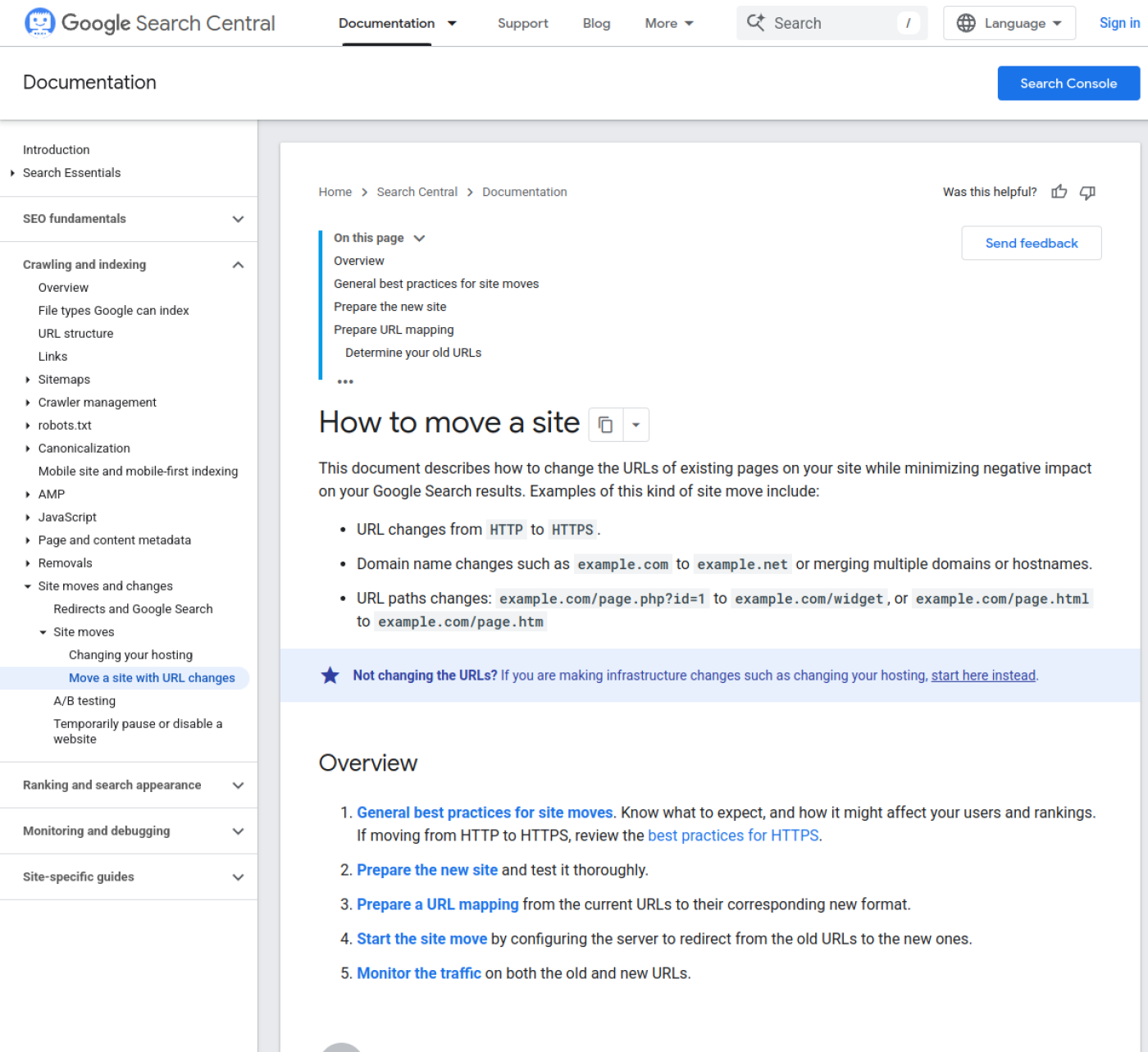
Google's guide to site moves with URL changes (updated 20 Aug 2026) says to "expect temporary fluctuation in site ranking during the move." The goal is to keep that dip small and short, and to have it recover on its own. Here is the whole checklist in one block. Each stage is explained below it.
BEFORE THE BUILD
[ ] Export every URL: XML sitemap + Search Console pages + analytics landing pages
[ ] Record title, meta description and H1 for every URL
[ ] List pages with backlinks (Search Console > Links)
[ ] Save a benchmark: clicks, impressions, top queries, indexed pages, PageSpeed
[ ] Export content: posts, pages, custom fields, SEO fields, media, existing redirects
[ ] Build the redirect map: one old path, one new path, per row

DURING THE BUILD
[ ] Rebuild page templates in Webflow
[ ] Create Collections that match your post types and fields
[ ] Import posts (WP to Webflow app or CSV), then spot-check 10 items
[ ] Rebuild forms and replace each plugin
[ ] Add 301s (one by one or CSV import, after exporting existing redirects)
[ ] Set titles, meta descriptions, Open Graph and alt text
[ ] Check staging: links, forms, mobile, speed, noindex on webflow.io

SWITCH-OVER
[ ] Lower DNS TTL a day or more ahead
[ ] Point DNS to Webflow, set the default domain, publish
[ ] Test the top 50 old URLs: each returns 301 then 200
[ ] Verify Search Console, submit /sitemap.xml, inspect key URLs

THE 30 DAYS AFTER
[ ] Daily for week 1: 404s, Page indexing report, forms
[ ] Weekly: clicks and impressions vs benchmark, top queries
[ ] Fix every new 404 with a redirect; keep redirects at least a year
Can WordPress be converted to Webflow automatically?
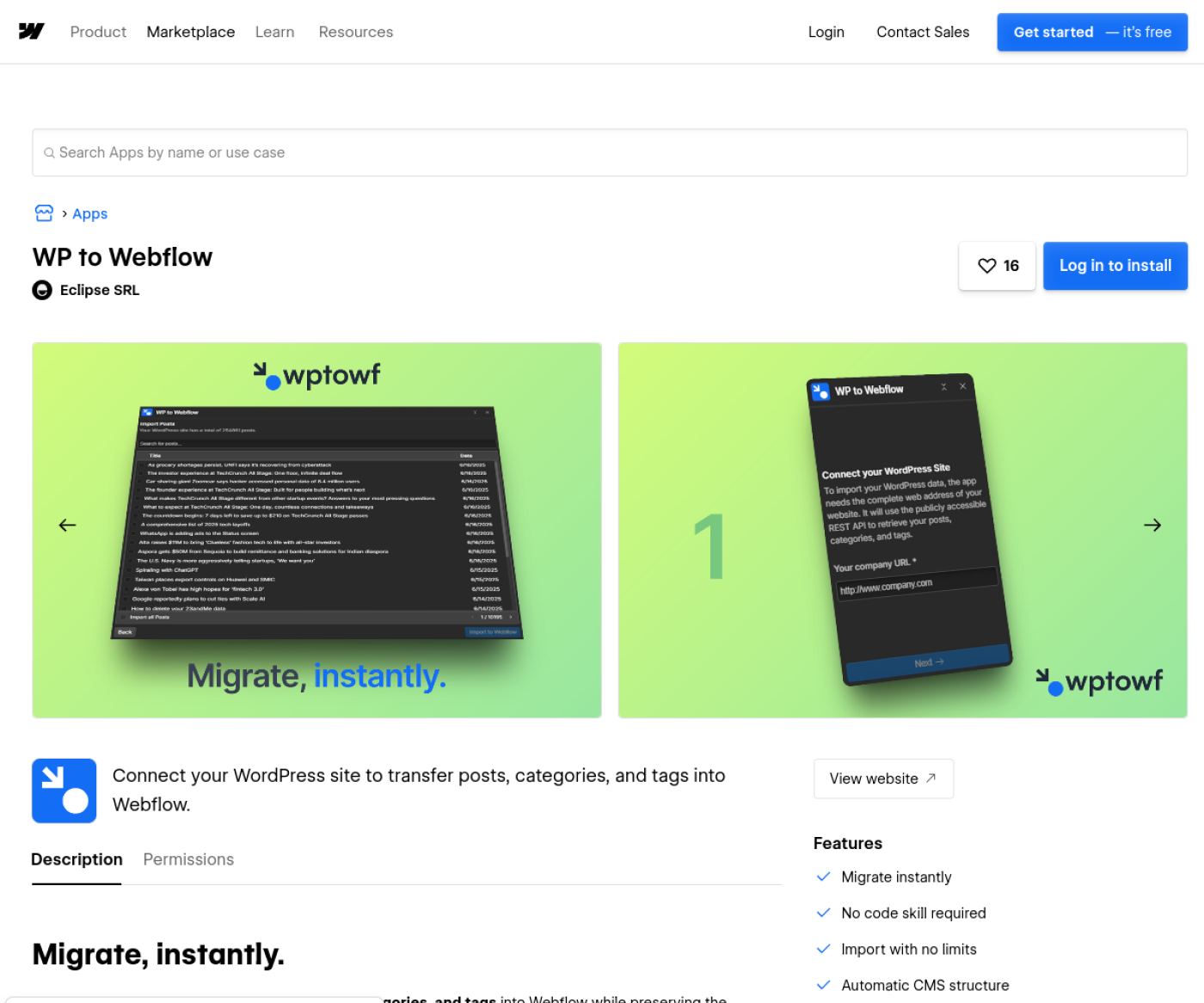
No. Your blog posts and CMS content can be imported automatically, but the design, page layouts, forms and plugin features are rebuilt in Webflow by hand. The free WP to Webflow app moves posts, categories, tags and images. Everything else needs a CSV import or a person.
The WP to Webflow app (publisher Eclipse SRL, checked 13 Oct 2026) is free and lists a CMS plan as a requirement. Since Webflow merged its CMS and Business plans into Premium on 13 May 2026, that means a Premium site plan: $25 a month billed yearly, or $39 monthly, as of October 2026 (Webflow pricing). The listing doesn't mention pages, authors or SEO fields, so plan for those yourself.
The free WP to Webflow app listing on Webflow Apps, captured 13 Oct 2026.
What moves on its own and what is rebuilt by hand in a WordPress to Webflow migration, as of Oct 2026.
WordPress item
How it moves
What to watch
Blog posts, categories, tags, images
Automatic, with the WP to Webflow app or a CSV import
Spot-check formatting inside rich text
Custom post types and custom fields
CSV import into a Collection you design first
Field types must match; CSV files are capped at 4 MB
SEO titles and meta descriptions
CSV fields for CMS items; by hand for static pages
Not mentioned in the app listing
Pages and theme design
Rebuilt by hand in Webflow
Rebuild templates, not page by page
Authors
A separate Collection, by CSV
Link posts to authors with a reference field
Existing redirects
Exported from your plugin, reformatted, imported as CSV
A Webflow import replaces all existing redirects
Forms
Rebuilt as Webflow forms or an embed
Re-test every notification email
Membership and logic plugins
Replaced with Memberstack, Outseta, Zapier or Make
Webflow retired Logic (Jun 2025) and User Accounts (Jan 2026)
PDFs and downloads
Uploaded by hand
Old /wp-content/ links need a plan
Before the build: inventory, benchmark and redirect map
The work before the build decides whether you keep your rankings. You need every URL the old site has, what each one ranks for, and where each one goes on the new site. Do this before anyone opens the Webflow Designer, because the URL list changes how Collections and slugs get planned.
1. Build the URL inventory from three sources
The XML sitemap shows what WordPress thinks exists. Search Console's Pages report and Links report show what Google has indexed and which pages other sites link to. Your analytics landing-page report shows which pages people land on. Merge the three lists, and you'll usually find URLs the sitemap never had, such as old campaign pages, attachment pages and /page/2/ archives.
Google's guide recommends finding old URLs through "sitemaps, server logs, your CMS, and the Search Console links report." For each URL, record the title, meta description and H1. Those three lines carry most of your on-page relevance, and they should survive the move unchanged unless you're fixing something on purpose.
2. Save a benchmark
Export the last three months of Search Console performance data: clicks, impressions, top queries and top pages. Note how many pages are indexed and run PageSpeed Insights on your five most-visited pages. Without these numbers, nobody can tell after launch whether a drop is the migration or the season.
3. Export the content
Export posts, pages, custom fields, SEO plugin fields (Yoast or Rank Math), the media you want to keep, and any existing redirects from a redirect plugin. Plan your Collections against Webflow's limits before you import: Premium holds 20,000 CMS items and 40 Collections as of October 2026. Large blogs and directories hit that ceiling faster than people expect. My post on Webflow CMS limits covers how to plan around it.
4. Write the redirect map
Every old URL gets a row: the old path and the one new path it should land on. I give every old URL a 301, including thin tag pages, because the cost of a redirect is one row and the cost of a missing one is a lost link. Point each URL at its closest match. Google warns against sending many pages to an unrelated page such as the homepage.
Two columns, old path first, new path second, paths only. WordPress URLs usually end in a slash and Webflow URLs don't, so the new paths above drop it. Before you import, export your current Webflow redirects and copy the export's exact layout, so your file matches what Webflow expects. Webflow's article on setting up redirects (updated 19 May 2026) also lists special characters that need a % in front in old paths, including ?, =, _ and the hyphen, though its own examples don't always escape hyphens. Import a handful of rows as a test before the full file.
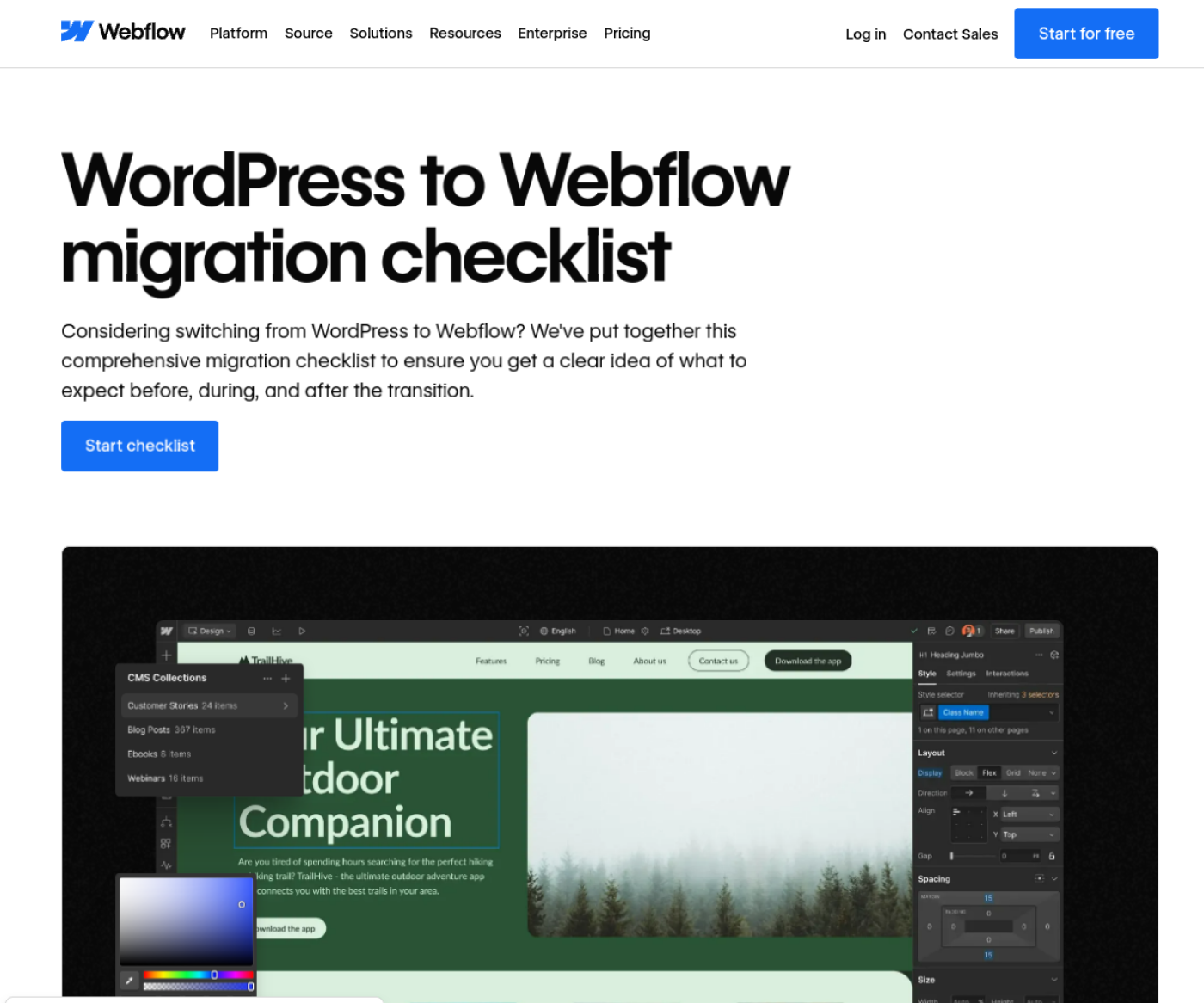
Webflow publishes its own WordPress migration checklist as well. It's worth comparing against yours before the build starts.
Webflow's WordPress to Webflow migration checklist page, captured 13 Oct 2026.
During the build: templates, CMS import and redirects
The build is where the site gets rebuilt and the content gets imported. Build templates first, then Collections, then import, then redirects and metadata. I build on Finsweet's Client-First, so the class names are readable by whoever edits the site after me.
Rebuild templates, not pages. A WordPress theme with 40 pages might have 8 real layouts. Build those 8 in Webflow and fill the rest from them.
Create one Collection per post type, with fields mapped one to one. Webflow's CMS import article (updated 18 Aug 2026) says rich text fields accept HTML, references match by slug, and image URLs import without responsive variants. Re-upload the hero images on your top pages so they get proper srcset sizes.
Import, then open ten imported items at random. Check headings inside rich text, embedded videos, tables and image captions, which are the parts that break most often.
Rebuild forms and replace plugins. List every plugin and decide its replacement: a Webflow form, an embed, Memberstack or Outseta for logins, Zapier or Make for automations.
Set the 301s. Add them one by one in Site settings, Publishing, 301 redirects, or import the CSV. Webflow recommends 1,000 redirects at most as best practice, so use wildcards like /category/(.*) for clean patterns and single rows for posts.
Carry the metadata over. Paste titles and meta descriptions for static pages, and bind CMS template SEO fields to imported fields. Add alt text and Open Graph images.
Check staging: click every link, submit every form, test on a phone, run PageSpeed Insights, and confirm the webflow.io subdomain isn't indexable.
WarningWebflow's redirect CSV import replaces everything. The help article on importing 301 redirects says "New imports overwrite all existing redirects," and one invalid row fails the whole import. Export your current redirects first, merge them into your new file, then import once.
Switch-over day, in order
Switch-over is short if the prep is done: lower the DNS TTL in advance, point the domain at Webflow, publish, then test redirects and tell Google. When the domain stays the same, Google's Change of Address tool isn't needed. That tool is for moving to a different domain.
Lower the TTL. Webflow's guide to updating DNS when migrating a live site (updated 2 Feb 2026) says to drop the TTL to its lowest value at least one full TTL period before the change. With a 24-hour TTL, do it a day early.
Update DNS. Copy the records shown in Site settings, Publishing, Production. On a new site that's usually an A record for the root and a CNAME for www pointing to cdn.webflow.com. Leave your email (MX) records alone.
Set the default domain and publish. Webflow redirects every other connected domain to the default, and it recommends the www version as the default.
Test the top 50 old URLs. Each should return one 301 and then a 200, with no chains. Check the slash and no-slash versions of your most-linked pages.
Tell Google. Check Search Console verification, submit /sitemap.xml, and use URL Inspection on your top pages to request indexing.
The launch-day SEO settings (canonical, staging noindex, sitemap, schema) are covered step by step in my Webflow SEO checklist for launch.
Google Search Central, "Site moves with URL changes", captured 13 Oct 2026.
The 30 days after launch: what I watch
For 30 days after a migration I watch three things: new 404s, the Page indexing report in Search Console, and clicks and impressions against the benchmark. Missing URLs show up as 404s, in Search Console's "Not found (404)" list and as visits to your 404 page in analytics. Give each one a redirect as soon as it appears.
Google says that for medium-sized sites "it can take a few weeks or more" before the new URLs replace the old ones in results, and larger sites can take longer. So a dip in week one is expected. A dip that's still growing in week three usually points to a pattern of missing redirects or pages that lost content in the rebuild.
Week 1, daily: 404 hits, form submissions, the Page indexing report, and the sitemap report.
Weeks 2 to 4, weekly: clicks, impressions and average position for your top 20 queries, compared with the benchmark.
After 30 days: keep the redirects. Google's advice is "for as long as possible, generally at least 1 year." There's no reason to ever remove them.
How long a migration takes and what it costs with me
A WordPress to Webflow migration with me usually takes 2 to 10 weeks and costs from about $2,600 to $9,600, depending on templates, CMS items and redirects. These are the ranges my estimator shows, in USD, as of October 2026. The Webflow site plan is billed to you separately.
diyo.studio WordPress to Webflow ranges from the published estimator, as of Oct 2026, in USD. Same design, no redesign.
Site
Price range
Timeline
6 templates, 1 simple Collection, up to 50 items
$2,600 to $3,500
2 to 4 weeks
About 8 templates, 51 to 300 items, up to 100 redirects
$3,400 to $5,100
3 to 6 weeks
12 templates, 3 Collections, 301 to 1,000 items, page builder, up to 500 redirects
$7,200 to $9,600
6 to 10 weeks
Page-builder sites (Elementor, Divi and similar) cost more because their content comes out of WordPress wrapped in builder markup that has to be cleaned before import. Payment is never more than 50% up front: 40/30/30 from $2,000 to $6,500, and 30/30/20/20 above that. Two rounds of changes are included, and I take on two projects at a time.
One honest limit: if your WordPress site depends on a plugin with no Webflow replacement, such as a complex booking engine or a store with heavy custom logic, stay on WordPress or budget for custom code. I'll tell you on the first call if that's your situation.
I rebuild WordPress sites in Webflow with a full URL inventory, a 301 for every old URL, Search Console checked before and after launch, and a 30-day watch.
Open yoursite.com/sitemap_index.xml (the address Yoast and Rank Math use; WordPress's built-in sitemap is at /wp-sitemap.xml) and count the URLs in it. That number, plus the number of distinct page layouts, sets most of the scope. Run them through the estimator for a range in two minutes, then book a call and I'll confirm the price.
I'm Chirag Singh. I design and build Webflow sites at diyo.studio in New Delhi, and I write about what comes up on client builds.
Choosing a Webflow User Accounts alternative in 2026: Memberstack vs Outseta prices, Zapier, Make or n8n for old Logic flows, and a migration checklist.
Webflow maintenance in 2026: what Webflow hosting covers, what still needs a person, a monthly checklist, care plan prices and what a plan should include.
Webflow site speed in 2026: Core Web Vitals thresholds, field vs lab data, and the Webflow fixes for images, fonts, scripts and animation, in priority order.
How to hire a Webflow developer in India from the US, UK, UAE or Australia: time-zone overlap, payments and GST, IP contracts, data protection and prices.
Webflow vs Wix vs Squarespace in 2026: three-year costs, design control, CMS limits, SEO, speed and lock-in, and which one fits your team and growth plans.
Webflow AEO in 2026: the robots.txt rules, page structure, schema and third-party mentions that get a Webflow site cited by ChatGPT, Perplexity and Google.
Is Webflow good for SEO? Yes, for most marketing sites. What Webflow handles natively, its real limits as of October 2026, and who should pick another platform.
Webflow developer rates and cost in 2026 for the US, UK, UAE, Australia and India, from Upwork, Clutch and Webflow's partner directory, plus quote tips.
Framer vs Webflow in late 2026: current pricing, CMS limits, editing, SEO, languages and migration, with a plain guide to who should pick each platform.
Webflow pricing as of October 2026: Site and Workspace plans, seats, yearly billing, bandwidth, add-ons, ecommerce and what changes at your next renewal.
A build-ready Figma file for Webflow: auto layout, variables, layer names, components, breakpoints and CMS states, checked against Webflow's plugin rules.