Webflow CMS limits as of October 2026: items, Collections, fields, references and lists per page by plan, and how to plan a CMS past 10,000 items.
Cover · a finished client build
10
min read
As of 13 October 2026, a Webflow site on the Premium plan holds up to 20,000 CMS items in up to 40 Collections. Any page can show up to 40 Collection lists, with 100 items in each list. Starter holds 50 items, Basic has no CMS, and Team allows 100 Collections. Past 20,000 items you need Enterprise or a data source outside Webflow.
Below are the limits with a source for each, what changed this year, and how I'd plan a CMS that still works after it passes 10,000 items.
Webflow CMS limits as of October 2026
Webflow sets CMS limits in two places. Your plan caps what you can store: items, Collections, fields and API calls. A separate set of display limits, the same on every plan, caps what one page can show. I checked both against Webflow's own pages on 13 October 2026.
Webflow CMS storage limits by plan, as of 13 Oct 2026, in USD. Prices are billed yearly.
Limit
Starter
Basic
Premium
Team
Enterprise
Price
Free
$15/mo
$25/mo ($39 billed monthly)
$2,500/mo, annual contract
Custom
CMS items
50
No CMS
20,000
20,000
Custom, over 1 million per site
Collections
20
No CMS
40
100
Not listed
Fields per Collection
60
No CMS
60
100
100
Reference and multi-reference fields per Collection
Up to 10, set by plan
No CMS
Up to 10, set by plan
20
20
CMS API rate limit
60 requests/min
No CMS API
120 requests/min
600 requests/min
Custom
Where each number comes from:
Prices, items, Collections, API rate limits and the Team field limits are from Webflow's pricing page, read on 13 October 2026.
The 60-field cap for the other plans is from Webflow's developer guide, Managing CMS Collections and Items: "A collection's schema can have up to 60 fields."
Reference fields: the Help Center article Reference Collection field (updated 1 August 2026) says non-Enterprise sites can add "up to 10 reference fields, depending on the site plan". Your exact allowance shows under Plans in Site settings.
Enterprise figures are from Webflow's next-gen CMS for Enterprise update (29 January 2026): over one million items per site, 100 fields and 20 reference fields per Collection.
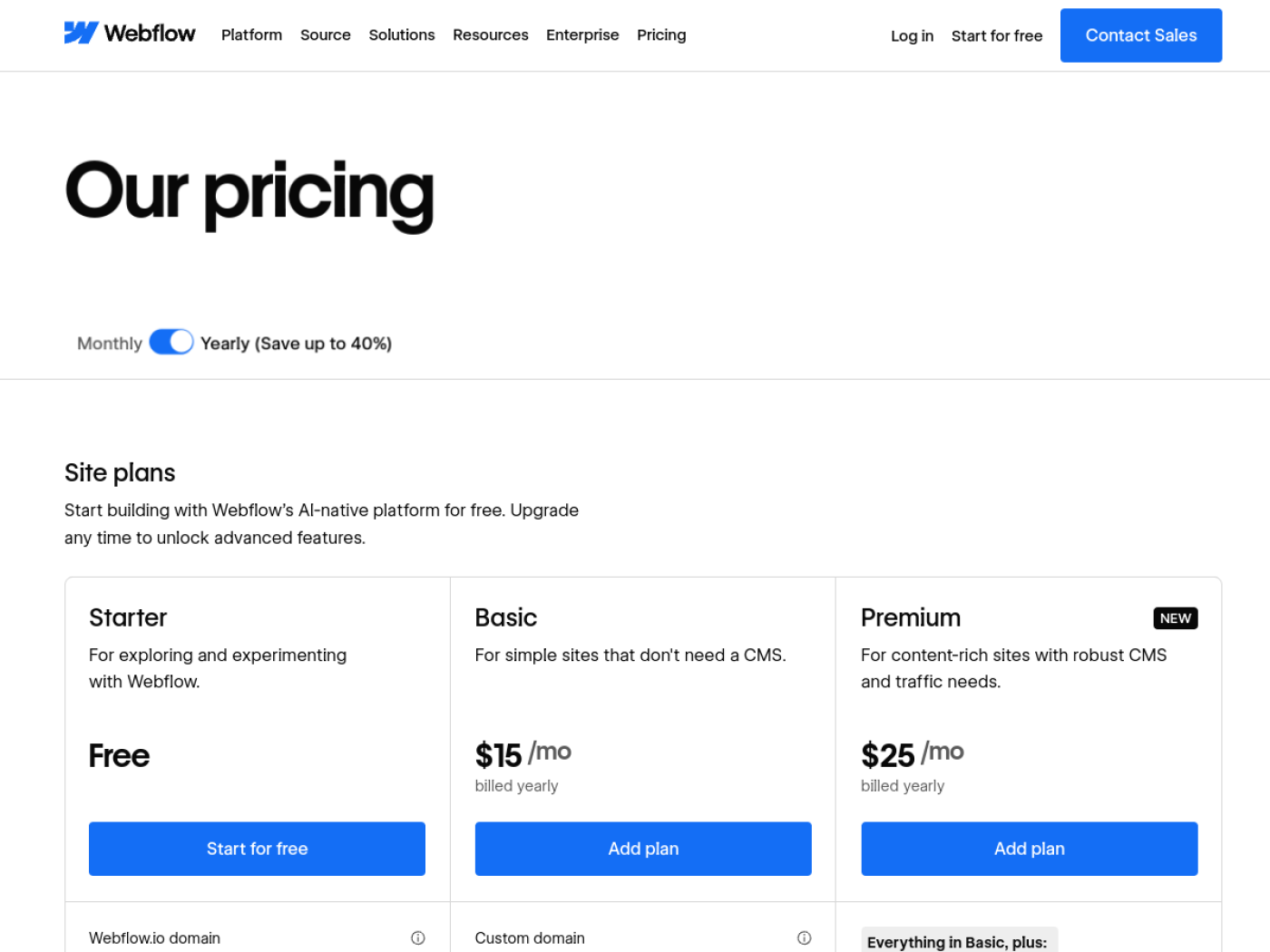
Webflow's pricing page, captured 13 Oct 2026. Premium is the only self-serve plan with more than 50 CMS items.
The display limits apply to every plan. They come from the Help Center article Dynamic content limits, updated 6 October 2026, and from Webflow's developer docs for the API rows.
Webflow page and API display limits on every plan, as of 13 Oct 2026.
Limit
Value
What it means in practice
Collection lists per page
40, nested lists included
Every filter list, related-items list and nested list counts.
Nested Collection lists per page
10
A card grid that lists each item's tags uses one.
Nesting depth
3 levels
Category, then article, then tag is the deepest chain.
Matters when a sync job publishes after each run (rate limits).
WarningSites still on the old CMS or Business plan keep the old limits (2,000 and 10,000 items) until they move to Premium. Existing sites move at their next renewal on or after 29 June 2026. Sites in Freelancer and Agency Workspaces, and sites on discounts from 2022 or earlier, move on or after 16 November 2026.
What changed in 2026
Two changes made most older articles on this topic wrong. In April 2026 Webflow moved every site to its next-gen CMS, which raised the per-page limits. In May 2026 Webflow merged the CMS and Business plans into Premium, with 20,000 items, and removed CMS item add-ons.
The next-gen CMS reached every site on 9 April 2026, after Enterprise got it in January. Collection lists per page doubled to 40. Nested lists per page went up fivefold to 10, items per nested list went up tenfold to 100, and nesting went from one layer to three.
The plan change took effect for new purchases on 13 May 2026. Webflow's Help Center article Updated pricing and simplified plans (updated 31 August 2026) lists the details. The Business plan's 10,000 items rose to 20,000, the old CMS plan's 2,000 items rose to 20,000, and Webflow removed item add-ons. Webflow's pricing post (updated 20 July 2026) confirms 40 Collections on Premium.
If a guide tells you the Business plan holds 10,000 items or that you can buy an item add-on, it was written before May 2026.
Which limit you hit first
On most large builds the first wall is the page, not the 20,000-item cap. One Collection list shows 100 items, and a list page with filters, featured items and nested tags uses its 40 lists and 10 nested lists faster than you'd expect. Next come fields and references on your busiest Collection.
Here is the order I'd check them in for a site heading past 10,000 items:
Items shown on one page. A directory with 3,000 entries can't show them in one native list.
Lists per page. Count every list on your busiest template, including dropdowns built from Collections and nested tag lists.
Fields and references on your largest Collection. Designers add a field for every block on a template, and 60 fields go quickly on a rich case study or product page. Ten reference fields sounds generous until authors, categories, locations, related items and tags all want one.
Total items. Every item counts toward the 20,000, including each category, tag and author.
Collections. Forty is rarely the problem.
Team is worth a close look here. At $2,500 a month, Team raises Collections to 100, fields to 100, references to 20 and the API limit to 600 requests a minute. Team keeps the item cap at 20,000, so it doesn't solve an item-count problem.
Why a Collection list shows only 100 items
Webflow renders up to 100 items in each Collection list. That is a display limit, not a storage limit: the other items still exist and still get their own template pages. To show more on one page you paginate, stack copies of the list with "skip", or load the rest in the browser with Finsweet's List Load.
Each fix suits a different job:
Native pagination shows 100 items per page with Previous and Next buttons. It fits archives and blogs, where readers browse in order.
"Skip" means duplicating the list and setting the copy to show 100 and skip 100, which displays items 101 to 200. Every copy counts toward the 40-list limit, so the trick stops being useful after a few hundred items.
Finsweet Attributes List Load adds load more, infinite scroll, pagination and a render-all mode on top of a native list. Finsweet publishes it as free, open-source code.
Render-all loads every paginated page in the visitor's browser. For a few hundred items that is fine. For several thousand, the visitor's phone does a lot of downloading before the list is complete, and I'd paginate or move search outside Webflow instead.
NoteCollection lists can't be placed inside components, per Webflow's Dynamic content limits article. Plan list sections as page sections, not as reusable components.
How to plan a CMS that holds up past 10,000 items
Plan the schema before anyone imports a row. Give each content type its own Collection, decide which fields are references and which are options, fix the slug rules, and keep fast-changing or page-less data out of the CMS. These decisions cost an afternoon on paper and weeks once 10,000 items exist.
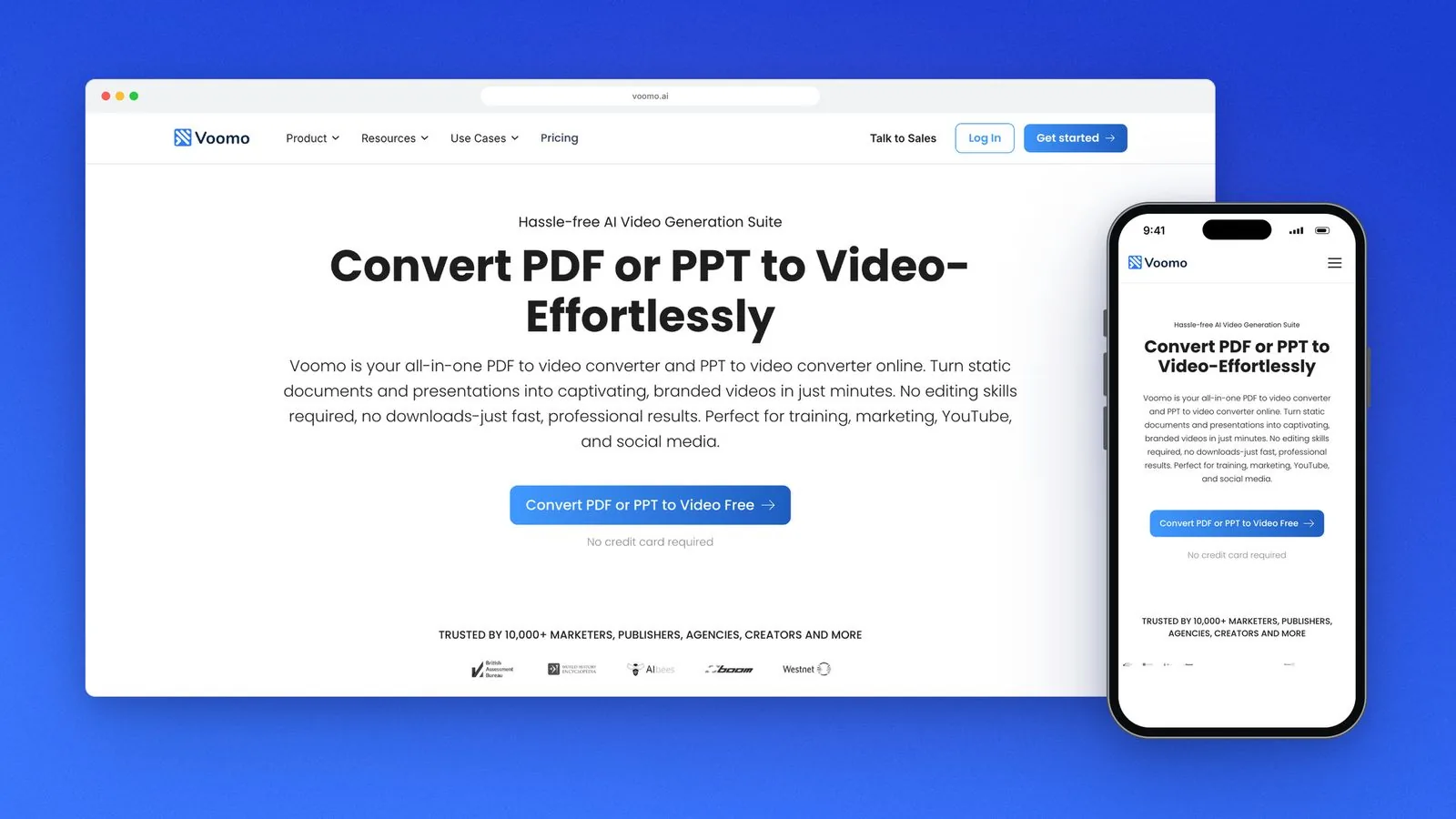
Voomo, one of my projects, is a Webflow build from the client's designs with 10,000+ CMS items and custom code, and it scores 92 on PageSpeed. A site at that size sits at roughly half of Premium's 20,000-item cap, so the headroom question comes up early.
The Voomo site on desktop and phone. See the Voomo project for the build.
Split by content type, not by page
One Collection per kind of thing that has its own fields: articles, authors, locations, products. Don't split one type across several Collections to dodge a list limit, such as "Articles 2025" and "Articles 2026". You get two templates to maintain, and no single list or filter can see all the articles.
References or option fields
Use an option field when the values are a short, fixed list with no page of their own, like a status or a size. An option field doesn't use one of your reference slots and doesn't add items to your 20,000.
Use a reference when the value needs its own page, image or description, or will keep growing, like authors or categories with landing pages. Use a multi-reference for many-to-many links such as tags. Write down every reference before the build and count them against the 10-field limit.
Slugs and naming
The slug becomes the item's URL, so set the rule before import. Decide which field it comes from, keep it lowercase with hyphens, and leave dates out if the item will be updated. Changing a slug after launch changes a live URL. On my builds every old URL gets a 301.
Name fields for the editor, not the developer. "Card summary (max 160 characters)" tells the person filling in item 8,000 what to write. If you're importing from WordPress, map your CSV columns to these names first; my WordPress to Webflow migration checklist covers the import order.
What to keep out of the CMS
Keep out data that changes faster than you publish, such as stock levels or prices owned by another system. Keep out per-user and private data: Webflow retired User Accounts on 29 January 2026, so logged-in member data needs another home. Keep out long lookup tables that only your code reads.
Each of these uses up items and API calls without giving you a page that can rank.
When Finsweet Attributes earns its place
Reach for Finsweet when a list page needs more than Webflow does natively. List Load shows more than 100 items. List Filter adds filtering and search without a page reload. List Nest helps when the nesting limits bite.
The trade-off is that filtering happens in the browser, on the items the page has loaded. With a few hundred items that works well. Past a few thousand on one filter page, I'd put search on a hosted index or a custom endpoint.
When to move data outside Webflow and sync it
Move the source of truth outside Webflow in three cases: your total will pass 20,000 and Enterprise isn't in the budget, another system already owns the data, or records change hourly. Keep the full dataset in a database or a tool your team already uses. A sync job then writes only the records that need public pages into the CMS.
Do the arithmetic before you promise a sync schedule. The CMS API returns 100 items per request, so reading 20,000 items takes at least 200 requests. At Premium's 120 requests a minute, that is just under two minutes for one full read, before any writes, and the API allows one site publish a minute.
Content that the browser fetches from an outside API after the page loads isn't in the HTML Webflow serves, which makes it a weaker bet for search. Anything that needs to rank should be a real CMS item with its own URL. The sync and the scripts around it are custom code and integrations work. In my estimator, as of October 2026, advanced CMS logic is $450 to $600 and one automation workflow is $250 to $350.
When Enterprise or another platform makes more sense
Stay on Premium while the total stays comfortably under 20,000 items and one team edits the content. Talk to Webflow about Enterprise when you need more than 20,000 items, more than 60 fields or more than 10 references per Collection on one site. Look beyond Webflow when the data behaves like an app.
App data means per-user records, constant writes, or search across hundreds of thousands of rows. Webflow's CMS is built to publish pages, and a product built around a database is better served by a stack designed for one. In that case a Webflow developer is the wrong first hire, and I'd tell you so on the call.
I plan and build large Webflow CMS sites on Finsweet's Client-First, including the schema, the import and the custom code that keeps them in sync.
Before anything gets designed, write down three numbers: items per Collection in year two, Collection lists on your busiest template, and reference fields on your largest Collection. If any of them is close to a limit in the tables above, bring the three numbers to a 30-minute call on Zoom. We'll work out the structure before you pay for a build.
I'm Chirag Singh. I design and build Webflow sites at diyo.studio in New Delhi, and I write about what comes up on client builds.
Choosing a Webflow User Accounts alternative in 2026: Memberstack vs Outseta prices, Zapier, Make or n8n for old Logic flows, and a migration checklist.
Webflow maintenance in 2026: what Webflow hosting covers, what still needs a person, a monthly checklist, care plan prices and what a plan should include.
Webflow site speed in 2026: Core Web Vitals thresholds, field vs lab data, and the Webflow fixes for images, fonts, scripts and animation, in priority order.
How to hire a Webflow developer in India from the US, UK, UAE or Australia: time-zone overlap, payments and GST, IP contracts, data protection and prices.
Webflow vs Wix vs Squarespace in 2026: three-year costs, design control, CMS limits, SEO, speed and lock-in, and which one fits your team and growth plans.
Webflow AEO in 2026: the robots.txt rules, page structure, schema and third-party mentions that get a Webflow site cited by ChatGPT, Perplexity and Google.
Is Webflow good for SEO? Yes, for most marketing sites. What Webflow handles natively, its real limits as of October 2026, and who should pick another platform.
Webflow developer rates and cost in 2026 for the US, UK, UAE, Australia and India, from Upwork, Clutch and Webflow's partner directory, plus quote tips.
Framer vs Webflow in late 2026: current pricing, CMS limits, editing, SEO, languages and migration, with a plain guide to who should pick each platform.
Webflow pricing as of October 2026: Site and Workspace plans, seats, yearly billing, bandwidth, add-ons, ecommerce and what changes at your next renewal.
A build-ready Figma file for Webflow: auto layout, variables, layer names, components, breakpoints and CMS states, checked against Webflow's plugin rules.